
Wash Care Labels
📸 Photograph the Correct Product Label (by Category)
If you don’t have a receipt/order confirmation, you can upload a photo of the product label instead.
Different product categories use different labels — please follow the examples below and make sure the product code is visible and readable.
Can’t find your label or need assistance?
Contact our Customer Service here or click the chat icon in the lower right of your browser window
Electric blankets / Heated throws
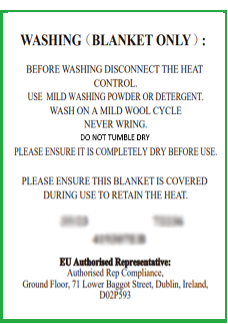
Photograph the label/sticker that shows:
• Product code / model number
• No Washing symbols
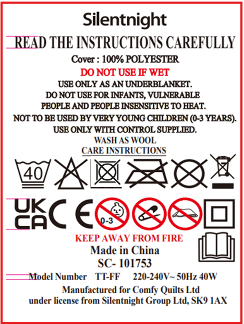
Shows wash care symbols
(photo is of the wrong side ⚠️ Please flip the label over)
Duvets / Quilts
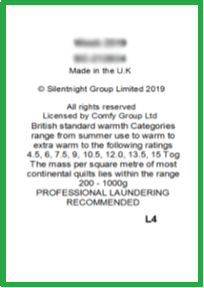
Use the sewn-in wash care label side that shows:
• Product code (e.g. “SC-…”)
• Week code
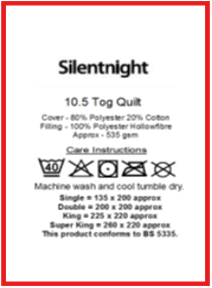
Shows wash care symbols
(photo is of the wrong side ⚠️ Please flip the label over)
Pillows
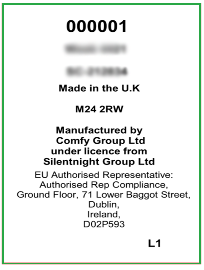
Photograph the label side that includes:
• Product code (e.g. “SC-…”)
• No Washing symbols
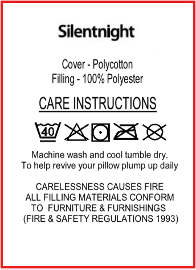
Shows wash care symbols
(photo is of the wrong side ⚠️ Please flip the label over)
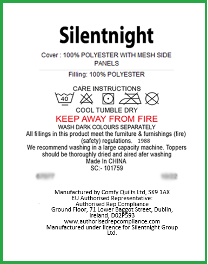
Mattress toppers / Protectors
These products likely have only one side with the other being blank.
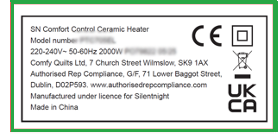
Electricals
These products likely have only one side to photograph.
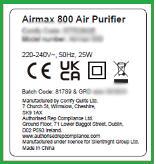
- Lay the label flat (avoid folds that hide the code)
- Photograph straight-on, not at an angle
- Ensure all text is visible and in focus
- Use natural light — avoid flash glare and shadows
- Don’t crop off the code/model number